Inspections
Inspections are the main method of data collection.
- For basic concepts about Inspections, see the Core Concepts page.
- For a quick guide on creating an Inspection, see the Getting Started Guide.
Inspection Settings
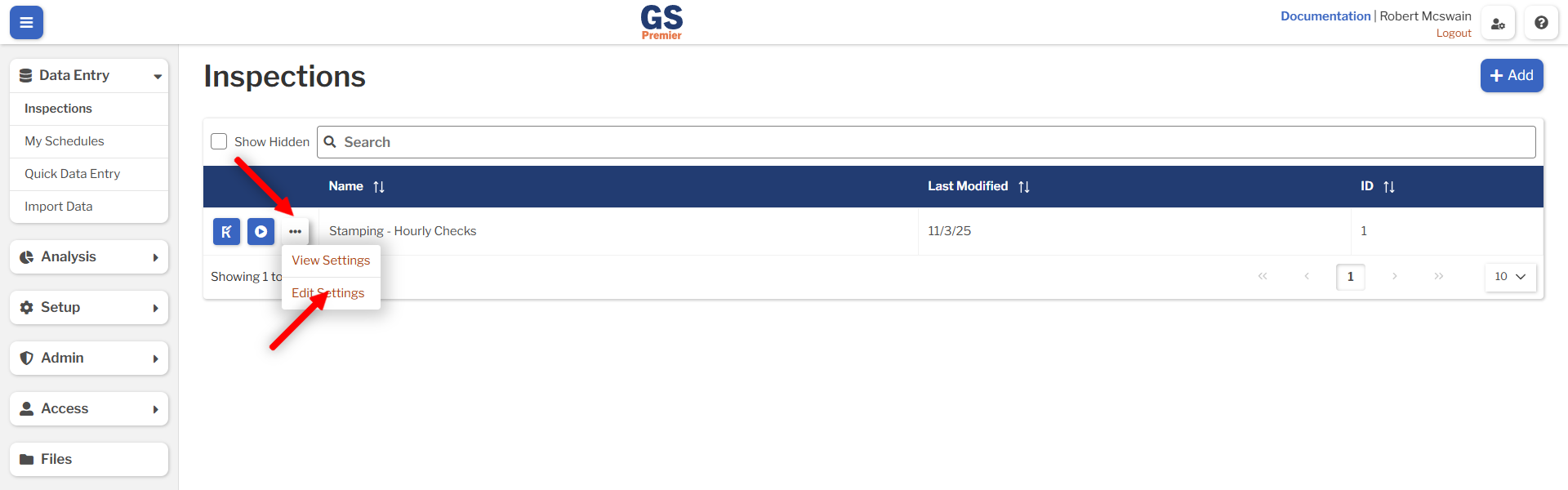
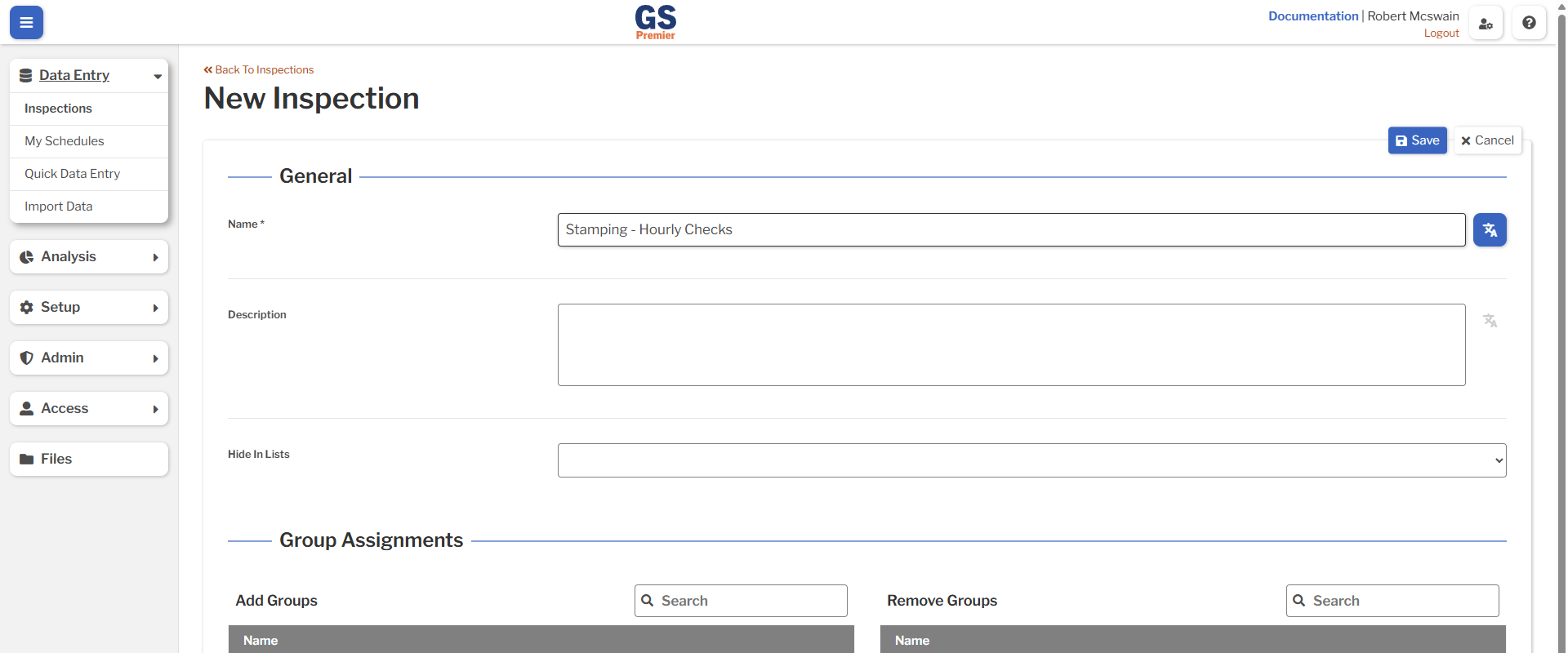
Inspection Settings are accessed by selecting the More Actions (...) button from the list of Inspections, then selecting View or Edit Settings.
| Field | Description |
|---|---|
| Name | Unique name of the Inspection. |
| Description | Notes about the Inspection. This is only displayed on the Inspection's page. |
| Hide in Lists | Whether the Inspection appears in lists. Hiding does not affect any previously-stored data. |
| Published Revision | The revision that can be run by Users with the List and Run Published Revision permission. If there is no published revision, the Inspection can only be run by Users with the List and Run Any Revision permission. |
Inspection Assignments
Inspections can be restricted to particular Groups and Users using the Group Assignments and User Assignments lists. This will restrict the list of available Inspections for users that have the List and Run Published Revision permission. Note that the list of Inspections cannot be restricted for users with the List and Run Any Revision permission.
If an Inspection is published and not assigned to any Groups or Users, all Users with the List and Run Published Revision permission can run this Inspection.
Inspection Revisions
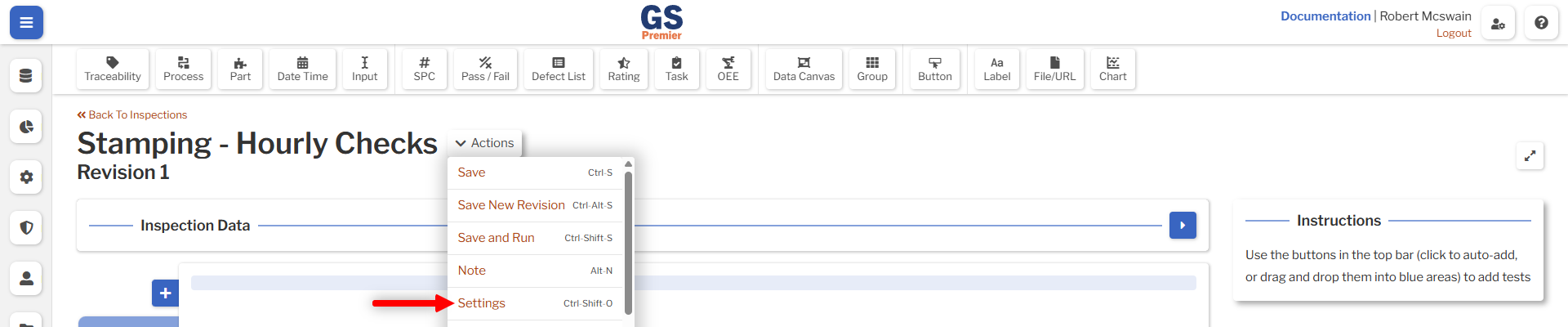
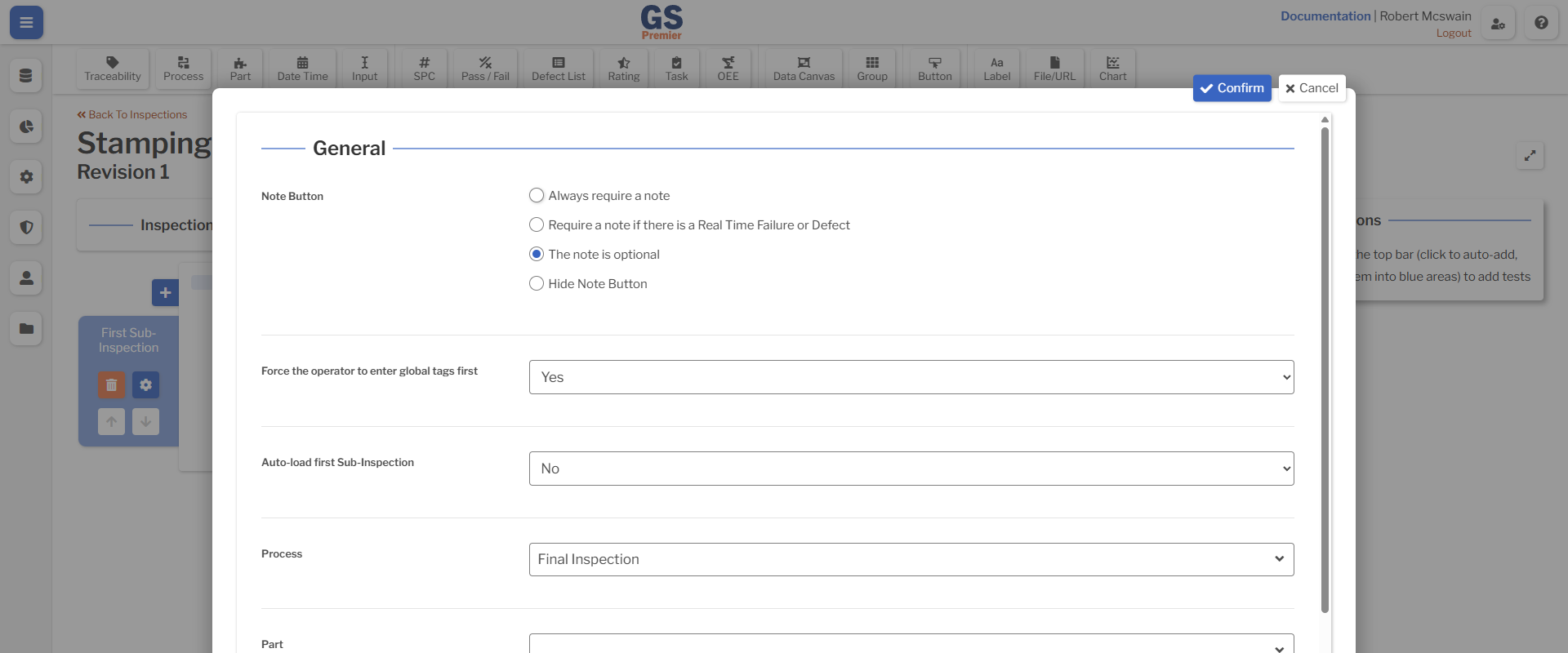
An Inspection Revision is a distinct collection of Sub-Inspections, Tests, and Scripts. Its settings are set in the Inspection Designer.
| Field | Description |
|---|---|
| Note Button | How notes are required to be entered before submitting a Sub-Inspection. |
| Force the operator to enter global tags first | Whether the operator is forced to enter any required tags in the Inspection Data panel before interacting with any Tests. |
| Auto-load first Sub-Inspection | Whether the Inspection automatically loads the first Sub-Inspection when the Inspection is started. |
| Process | The default Process tagged with data submitted by the Inspection. This can be overwritten on any Sub-Inspection via a Process Test. |
| Process | The default Part tagged with data submitted by the Inspection. This can be overwritten on any Sub-Inspection via a Part Test. |
| New Test Layout | The default width and placement of Tests when they are added. The Designer and run-time scripts are both affected by this setting. |
| UI Mode | Default displays Tests at a comfortable size. Compact allows a greater number of Tests to be fit on the screen without scrolling. |
Using Inspections While Offline
Inspections can be run without a reliable internet connection. Read more in the In-Depth Guide on Collecting Data While Offline.