Costs
GS is capable of tracking the production costs associated with particular Defects and Non-Conforming Units (NCU).
Many operations track costs differently. GS provides the ability to track costs broken out by Part, Process, or Location.
More granular cost tracking may be performed using scripting.
Defect Costs
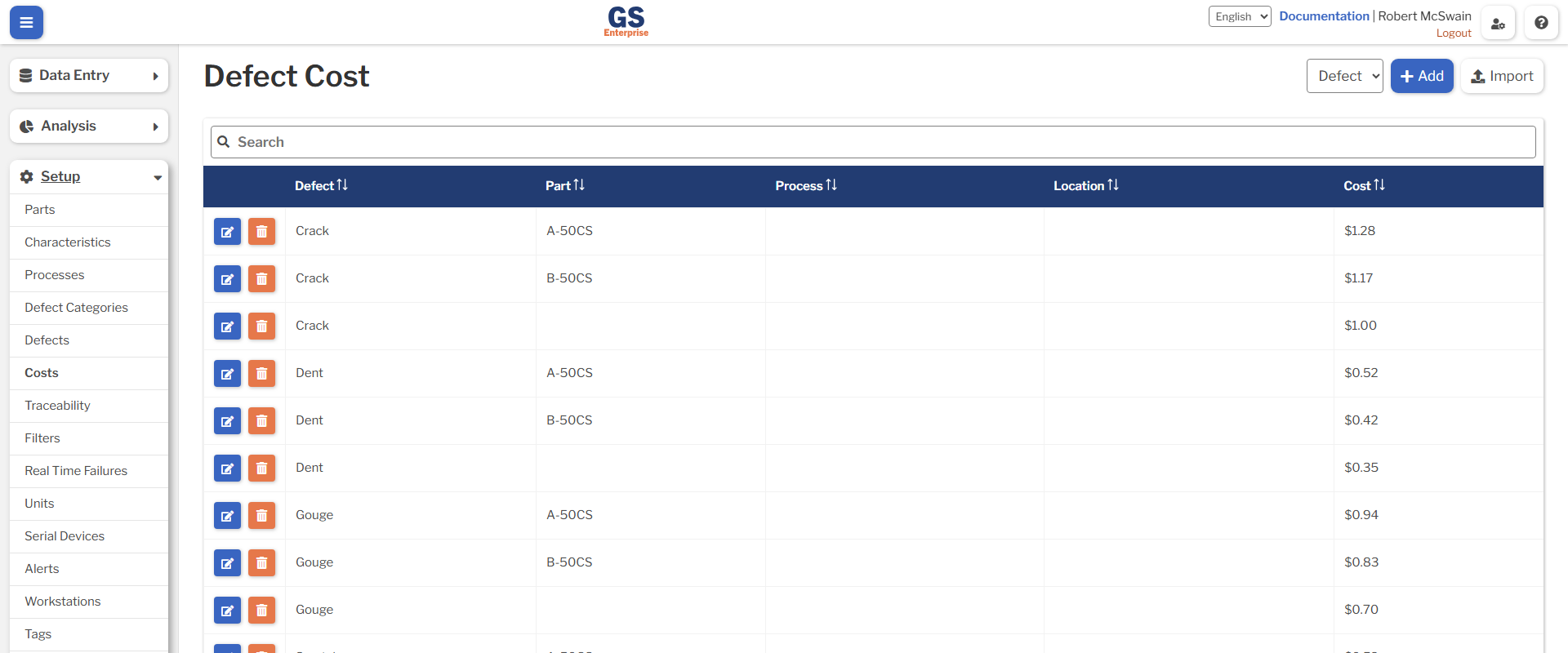
Defect costs are typically the costs to remedy a particular Defect. Some examples of this are:
- Sending a panel to be re-painted due to a scratch.
- Pulling a lot of bottles to be refilled due to underpack.
- Putting aside a lot for additional testing due to a single defective unit.
In each of these cases, there is a cost associated with remedying the Defect for that Part.
Submitting Data
When data is submitted which contains Defects, the cost is automatically calculated by multiplying the count of each Defect with the cost of that Defect. A single cost is retrieved for each Defect. If multiple Defect Costs match the Part, Process, and Location being used to submit data, the first cost will be selected, ordered by the following:
- The highest number of Part, Process, and Location set
- Costs where the Part is set
- Costs where the Process is set
- Costs where the Location is set
These costs may also be overridden when submitting data by using scripting, if additional customization is required.
The cost for each Defect is stored independently for each DMS Record. Once a DMS Record has been stored, the costs may only be modified by updating the DMS record itself. Updating the Defect Costs from the table will not change any existing records.
NCU Costs
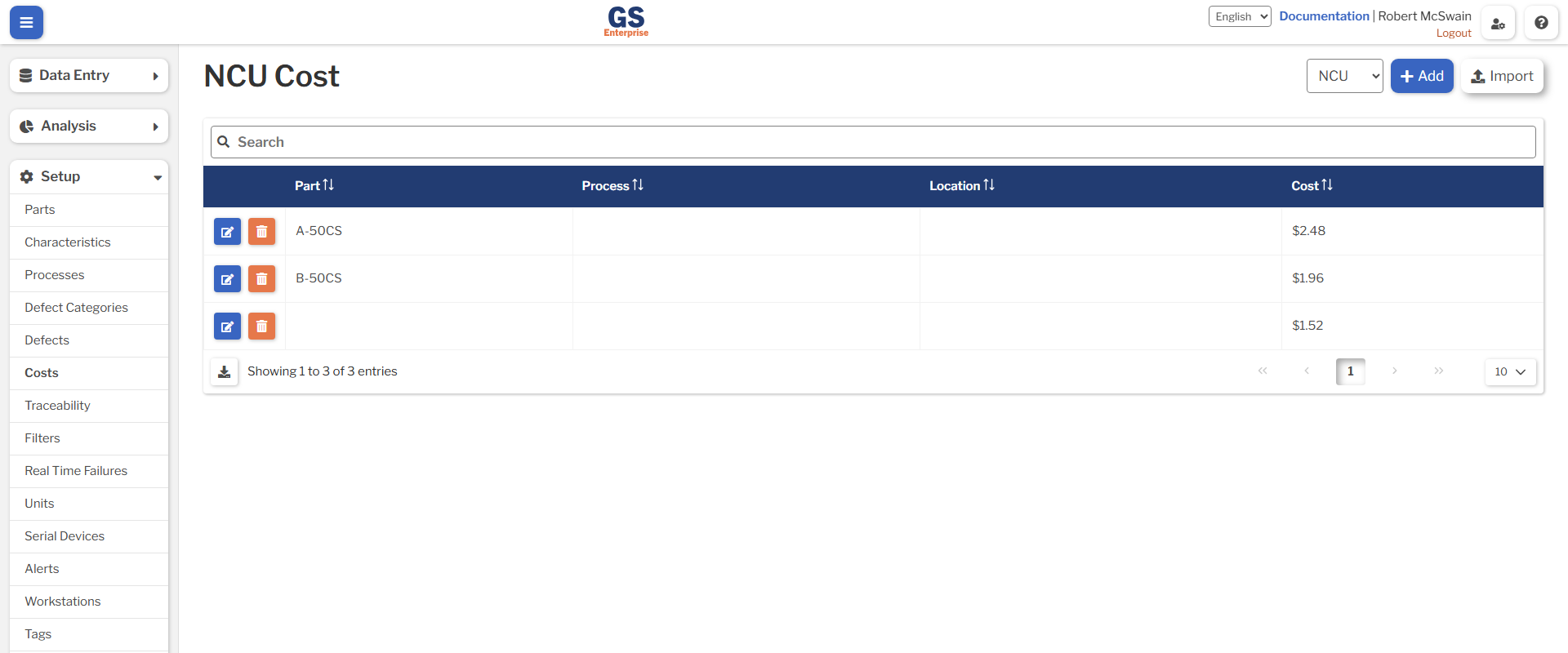
NCU Costs are typically the cost of scrapping, donating, or otherwise destroying a particular unit.
Submitting Data
As with Defect Costs, NCU Costs are calculated when storing Defect Data which contains NCUs. The cost is automatically calculated by multiplying the NCU count by the NCU cost. A single cost for the entire DMS Record is calculated based on the combination of Part, Process, and Location set on the DMS Record. If multiple NCU Costs match the Part, Process, and Location for a given DMS Record, the first cost will be selected, ordered by the following:
- The highest number of Part, Process, and Location set
- Costs where the Part is set
- Costs where the Process is set
- Costs where the Location is set
These costs may also be overridden when submitting data by using scripting, if additional customization is required.
The cost per NCU is stored independently on each DMS Record. As with Defect Data, this cost may only be changed by modifying the DMS Record. Updating the table of NCU costs will not change historical cost data.
Settings
Costs are added, edited, and removed directly from the list.
Each combination of Defect, Part, Process, and Location must be unique. When the Part, Process, or Location is left blank, it will be treated as matching all Parts, Processes, and Locations.
Defect Cost Settings
| Field | Description |
|---|---|
| Defect | The name of a Defect |
| Part | The name of a Part |
| Process | The name of a Process |
| Location | The name of a Location |
| Cost | The cost to remedy this Defect |
NCU Cost Settings
| Field | Description |
|---|---|
| Part | The name of a Part |
| Process | The name of a Process |
| Location | The name of a Location |
| Cost | The cost of scrapping this Part |
Import / Export
When importing Costs, ensure that the desired Cost Type to import is selected:
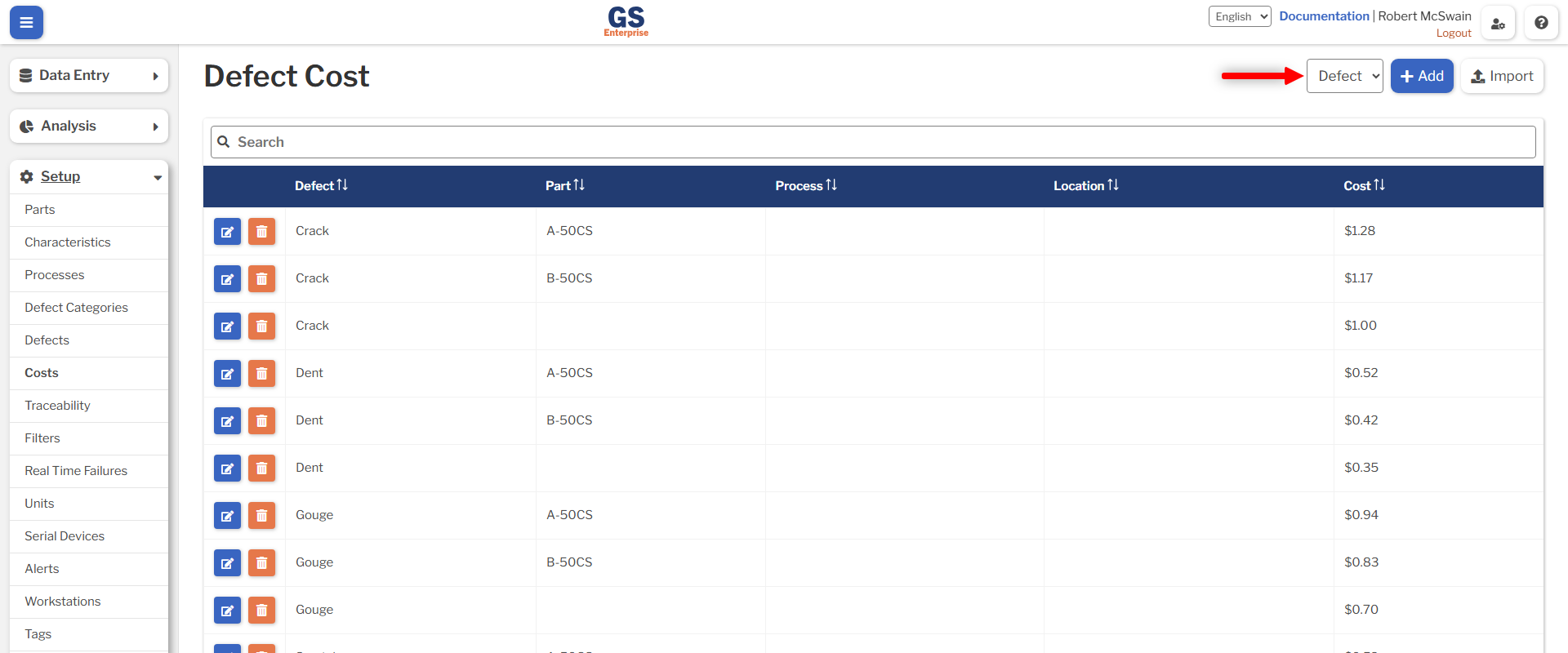
When importing Costs, the type of import must first be selected:
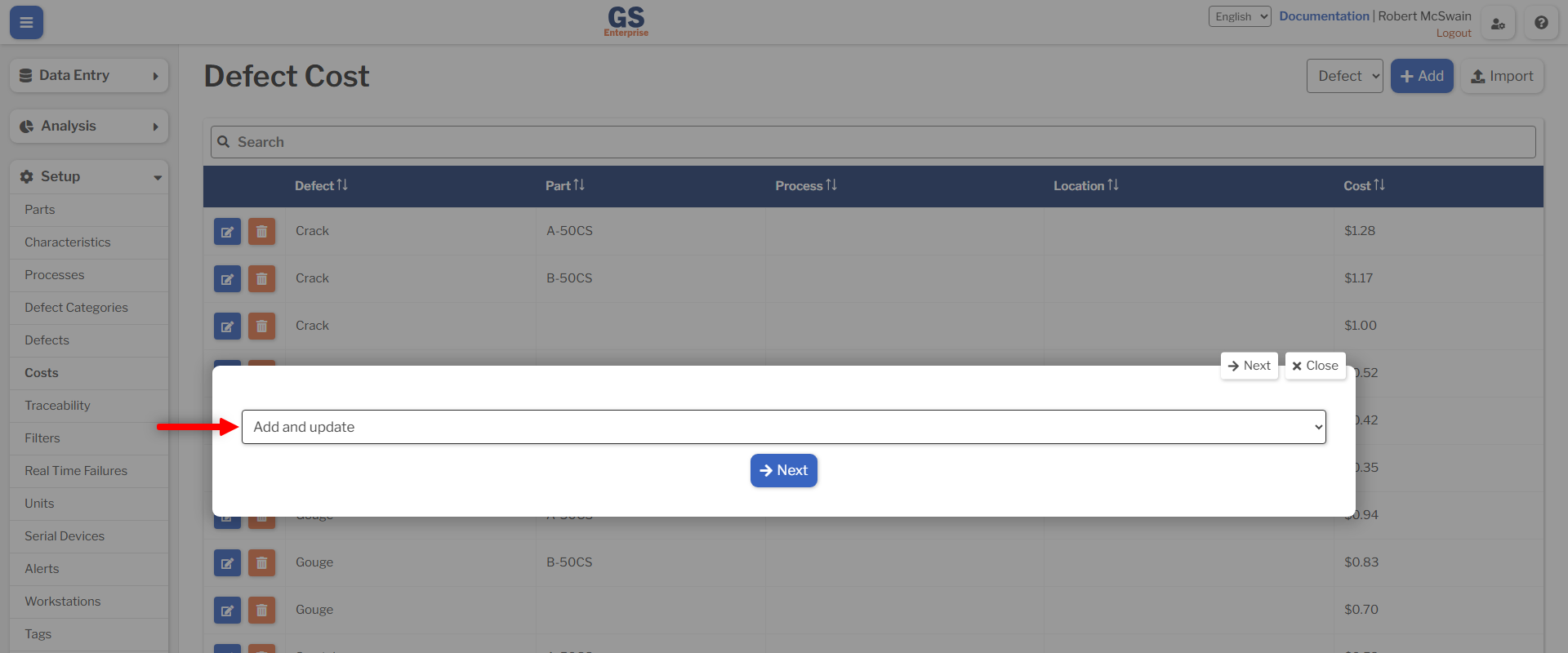
When Add and update is selected, no Costs will be deleted. Any Costs which already match the combination of Defect, Part, Process, and Location in the CSV will be updated. Any Costs which do not match will be created.
When Replace the complete list is selected, any Costs which are not in the uploaded Spreadsheet will be deleted. This will only remove Costs which the User has access to, based on the Location field set on the Cost.
Once the Cost Type and Import Type have been selected, the Costs may be imported using the CSV structures outlined in the next sections.
Defect Cost Imports
| Column Header | Required | Description |
|---|---|---|
| Defect | Required | The name of a Defect |
| Part | Optional | The name of a Part |
| Process | Optional | The name of a Process |
| Location | Optional | The name of a Location |
| Cost | Required | The cost to remedy this Defect |
NCU Cost Imports
| Column Header | Required | Description |
|---|---|---|
| Part | Optional | The name of a Part |
| Process | Optional | The name of a Process |
| Location | Optional | The name of a Location |
| Cost | Required | The cost of scrapping this Part |